Best Streaming Setup for Esports
Creating the perfect streaming setup for esports requires a careful balance of performance, reliability, and quality. Whether you're a casual streamer or aspiring to become a professional esports broadcaster, your setup can make or break your streaming career. The right combination of hardware, software, and accessories will ensure your audience enjoys crystal-clear visuals, professional-grade audio, and seamless streaming experiences. In this comprehensive guide, we'll explore the essential components that make up the best streaming setup for esports, from powerful gaming PCs to professional cameras and audio equipment.
High-Performance Gaming PC
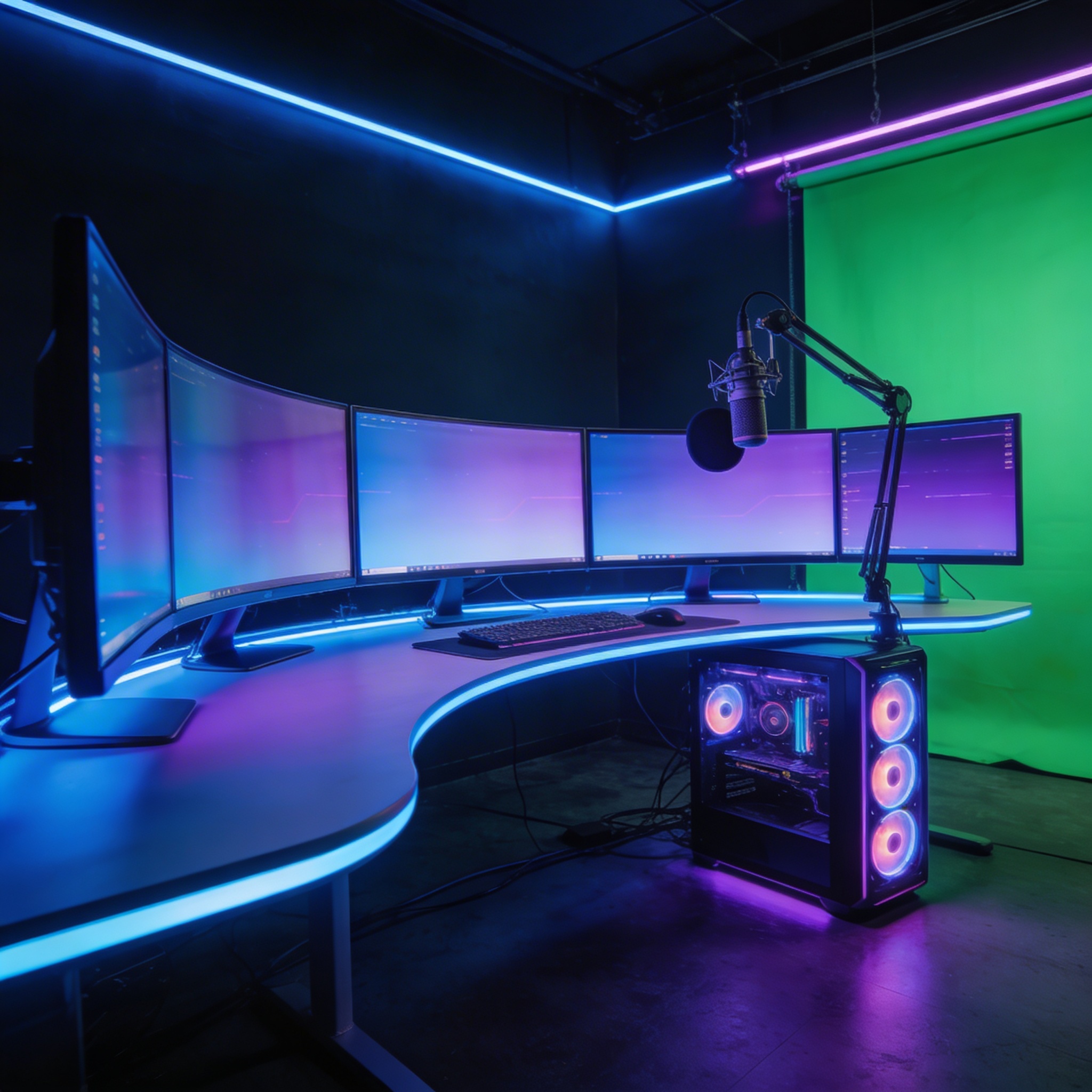
The foundation of any esports streaming setup is a powerful gaming PC that can handle both gaming and streaming simultaneously. Look for at least an Intel Core i7 or AMD Ryzen 7 processor paired with 16GB of RAM. For graphics, a NVIDIA RTX 3060 or AMD RX 6600 XT will provide excellent performance for most esports titles. Consider a desktop PC over a laptop for easier upgrades and better cooling. The PC should also have a reliable power supply (500W or higher) and plenty of storage space with at least a 256GB SSD for quick loading times.
Professional Streaming Camera
A high-quality camera is essential for connecting with your audience. For beginners, the Logitech StreamCam offers excellent 1080p60fps video quality at an affordable price. More advanced streamers might consider the NearStream VM20 with 4K resolution and 40X hybrid zoom for professional-level broadcasts. Key features to look for include autofocus, good low-light performance, and a wide field of view. The camera should connect easily to your streaming software and provide consistent, reliable performance during long streaming sessions.
Studio-Quality Microphone
Clear audio is crucial for professional esports streaming. The HyperX QuadCast S delivers exceptional sound quality with its four polar patterns and built-in shock mount. For streamers who want more control, the NearStream AM25X offers both USB and XLR connectivity, allowing for future upgrades to professional audio interfaces. Look for microphones with noise-canceling features, gain control, and a mute button for convenience. A good microphone ensures your commentary is always clear and professional, even during intense gaming moments.
Professional Audio Mixer
An audio mixer gives you complete control over your sound quality. The RodeCaster Duo stands out as the best streaming mixer, offering two channels for microphones, sound effects, and background music. It features built-in effects, compression, and noise reduction, making it perfect for esports commentary. The mixer allows you to balance game audio, voice, and alerts without needing complex software routing. This level of control ensures your stream sounds polished and professional.
Multi-Camera Streaming Setup
For professional esports tournaments, a multi-camera setup is essential. The Blackmagic ATEM Mini Pro ISO allows you to switch between multiple camera feeds in real-time, providing dynamic coverage of players, gameplay, and audience reactions. You'll need at least two cameras - one for player reactions and another for gameplay footage. Consider adding a third camera for audience shots or a wide-angle view of the gaming area. This setup creates a broadcast-quality experience that keeps viewers engaged throughout the stream.
Professional Lighting System
Good lighting can dramatically improve your stream's visual quality. The Neewer 660 LED panel provides adjustable brightness and color temperature, allowing you to create the perfect lighting environment. Proper lighting eliminates shadows, reduces grain in low-light conditions, and makes your stream look more professional. Consider using a three-point lighting setup with key light, fill light, and backlight for the most professional results. Good lighting is especially important for esports streams where player reactions and expressions are part of the viewing experience.
Reliable Capture Card
A high-quality capture card is essential for console gamers or those using multiple devices. The Elgato 4K60 Pro MK.2 offers ultra-low latency 4K capture with HDR support. It allows you to capture gameplay from consoles or secondary PCs while maintaining high frame rates and resolution. The capture card should have minimal impact on your gaming performance while providing clean, artifact-free video output. This is particularly important for fast-paced esports games where every frame matters.
Streaming Software
Your choice of streaming software affects both performance and features. OBS Studio is the industry standard, offering powerful customization and being completely free. For beginners, Streamlabs provides a more user-friendly interface with built-in themes and alerts. vMix is excellent for professional productions with advanced features like instant replay and multi-camera support. The software should be able to handle your hardware configuration while providing the features you need for your specific streaming style.
High-Speed Internet Connection
A stable, high-speed internet connection is non-negotiable for esports streaming. You'll need at least 10 Mbps upload speed for 1080p60fps streaming, with 25 Mbps or higher recommended for 4K content. Use a wired Ethernet connection rather than Wi-Fi to minimize latency and packet loss. Consider a dedicated upload line if you're streaming professionally, as this prevents your gaming connection from being affected by other household internet usage.
Professional Accessories
The final touches can elevate your setup from good to great. A quality boom arm for your microphone, like the Rode PSA1+, provides flexibility and reduces desk clutter. A green screen can give you a clean, professional background. Cable management solutions keep your setup tidy and prevent technical issues. Consider a stream deck for quick scene switching and control over your broadcast. These accessories might seem minor but they contribute significantly to the overall professionalism of your esports streaming setup.
Conclusion
Building the best streaming setup for esports is an investment in your streaming career. While it's tempting to cut corners, especially when starting out, remember that your audience's experience depends on the quality of your equipment. Start with the essentials - a good PC, camera, and microphone - and gradually upgrade as your channel grows. The esports streaming industry is highly competitive, and having a professional setup can be the difference between standing out and getting lost in the crowd. Whether you're streaming casual matches or hosting professional tournaments, the right equipment will help you deliver the high-quality content that esports viewers expect and deserve.
Last updated: March 12, 2026